Setting your task
This section will detail the setup pages that require explanation.
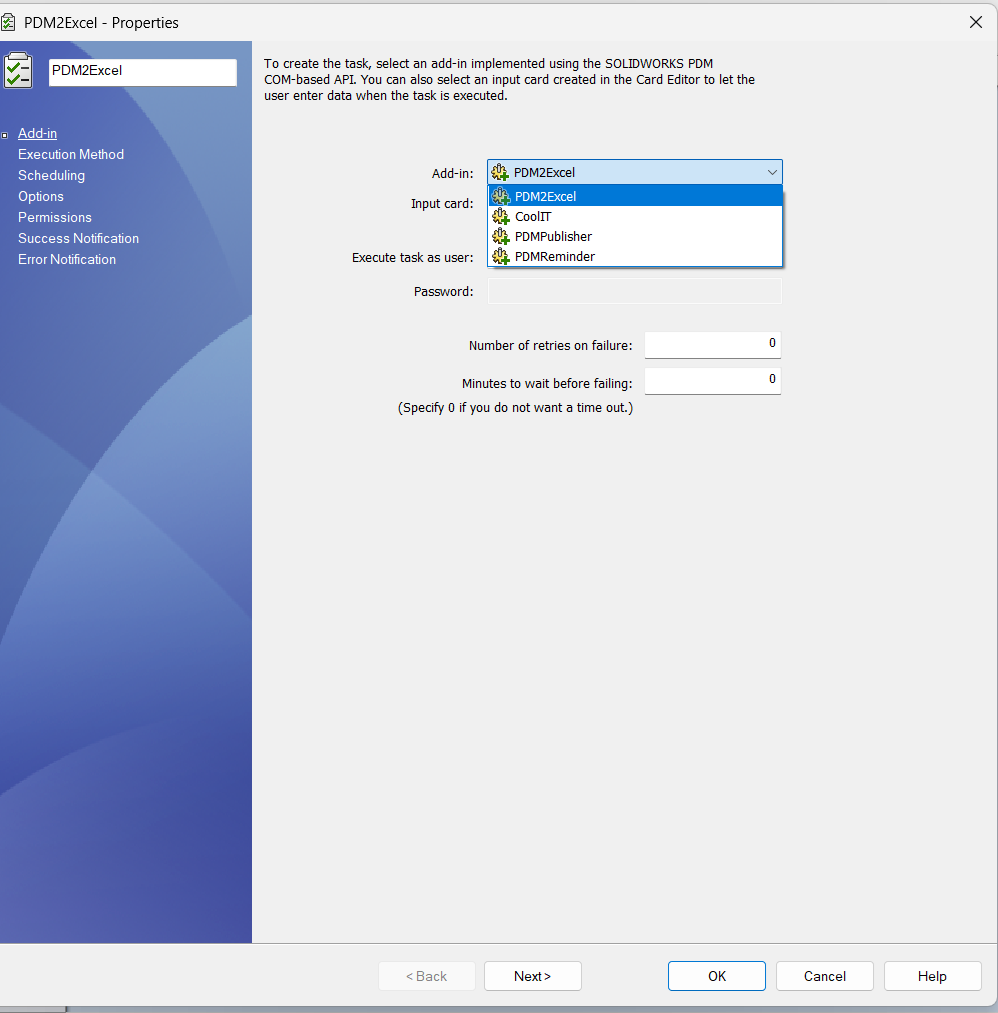
When you create a new task, please choose PDM2Excel from the dropdown in the first page of the task setup dialog like below:
Enable the Task Host
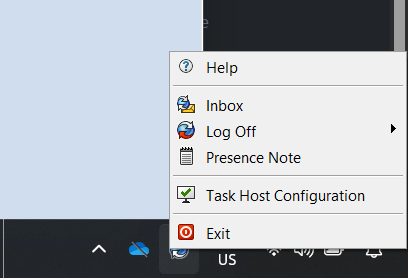
Make sure the task host on your machine is enabled and the proper add-in is allowed to run.
You can do this from the tray icon by selecting Task Host Configuration.
Permit the Add-in
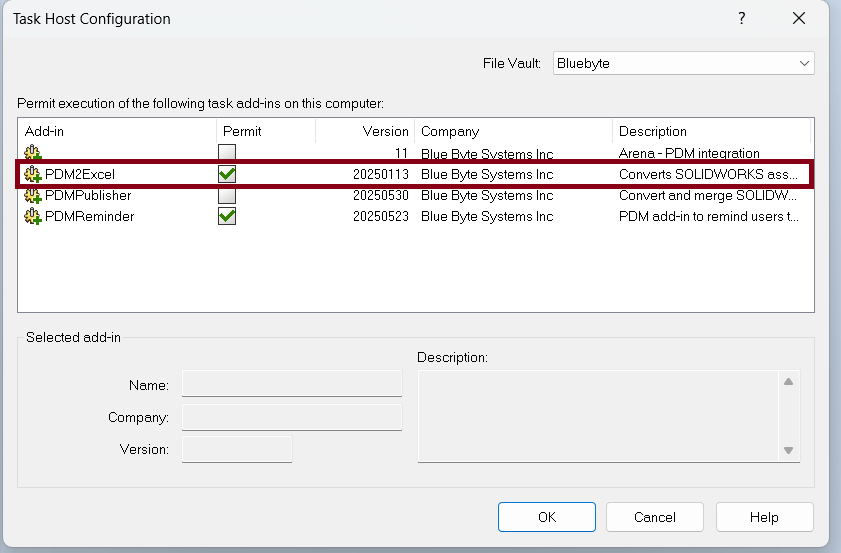
In the Task Host Configuration window, make sure that the checkbox for PDM2Excel is checked.
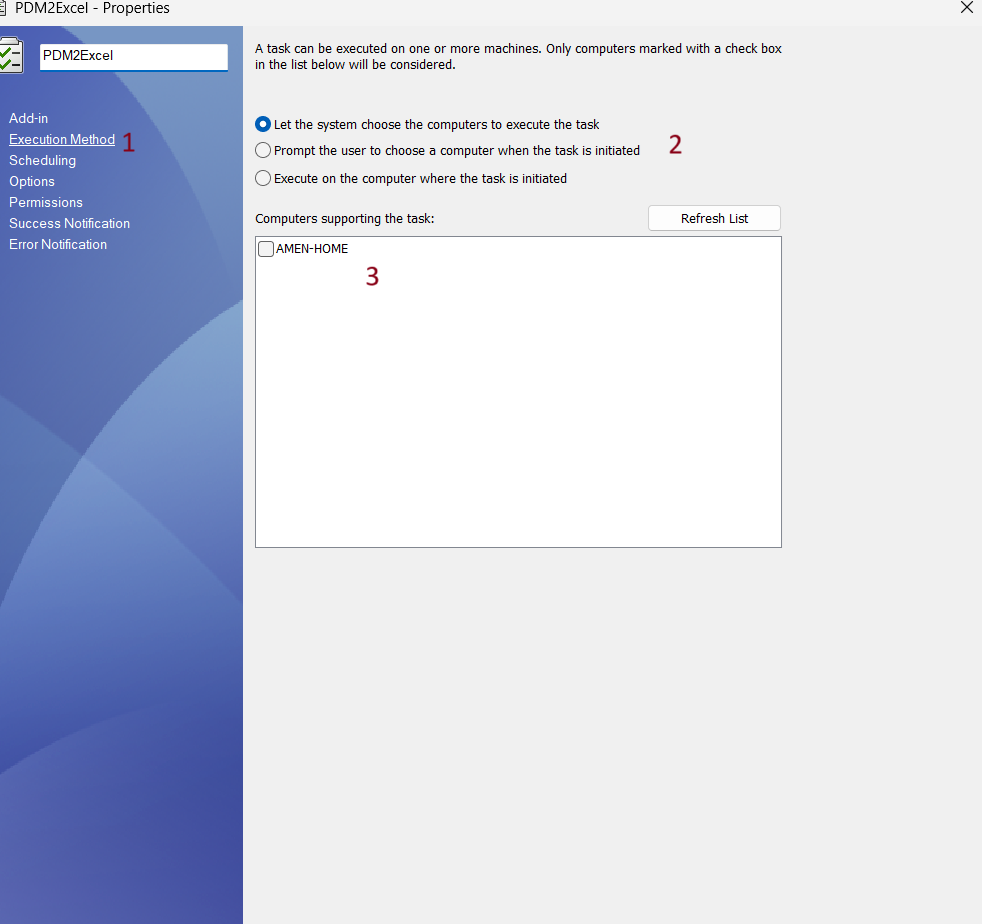
Execution Method
In the Execution Method tab, define which computer(s) are allowed to execute the task.
Configure Export Options
The Options tab is specific to the PDM2Excel task and defines what will be included in the output Excel file, such as configurations, BOM display settings, and thumbnail support.
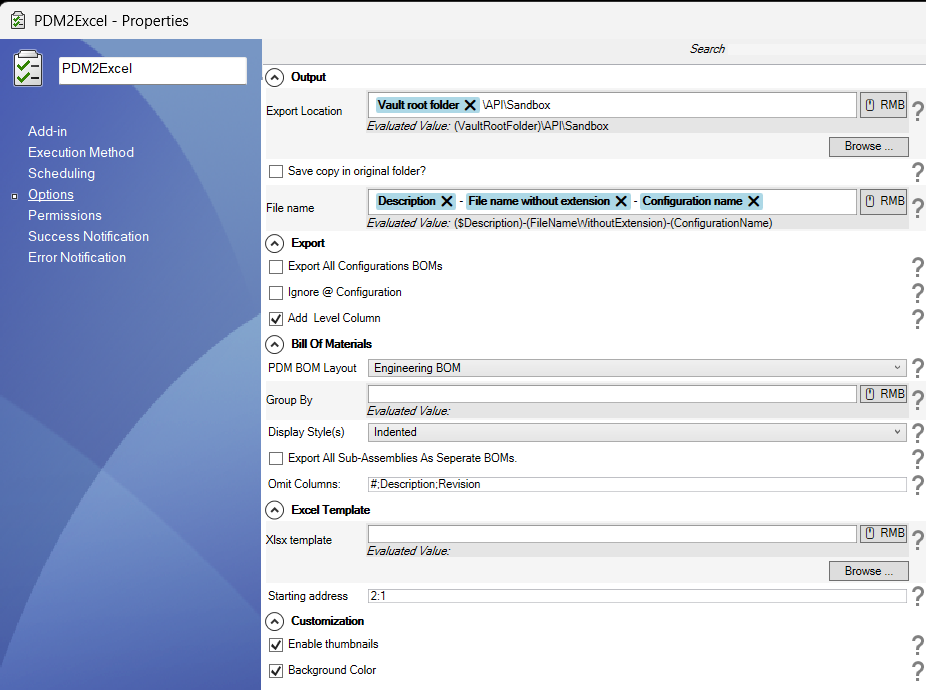
For more detailed information about the Options tab and its configuration, please refer to the Options Documentation.
| Tab | Description |
|---|---|
| Options | The Options page defines the export settings of what information is pulled from the assembly into the BOM. |
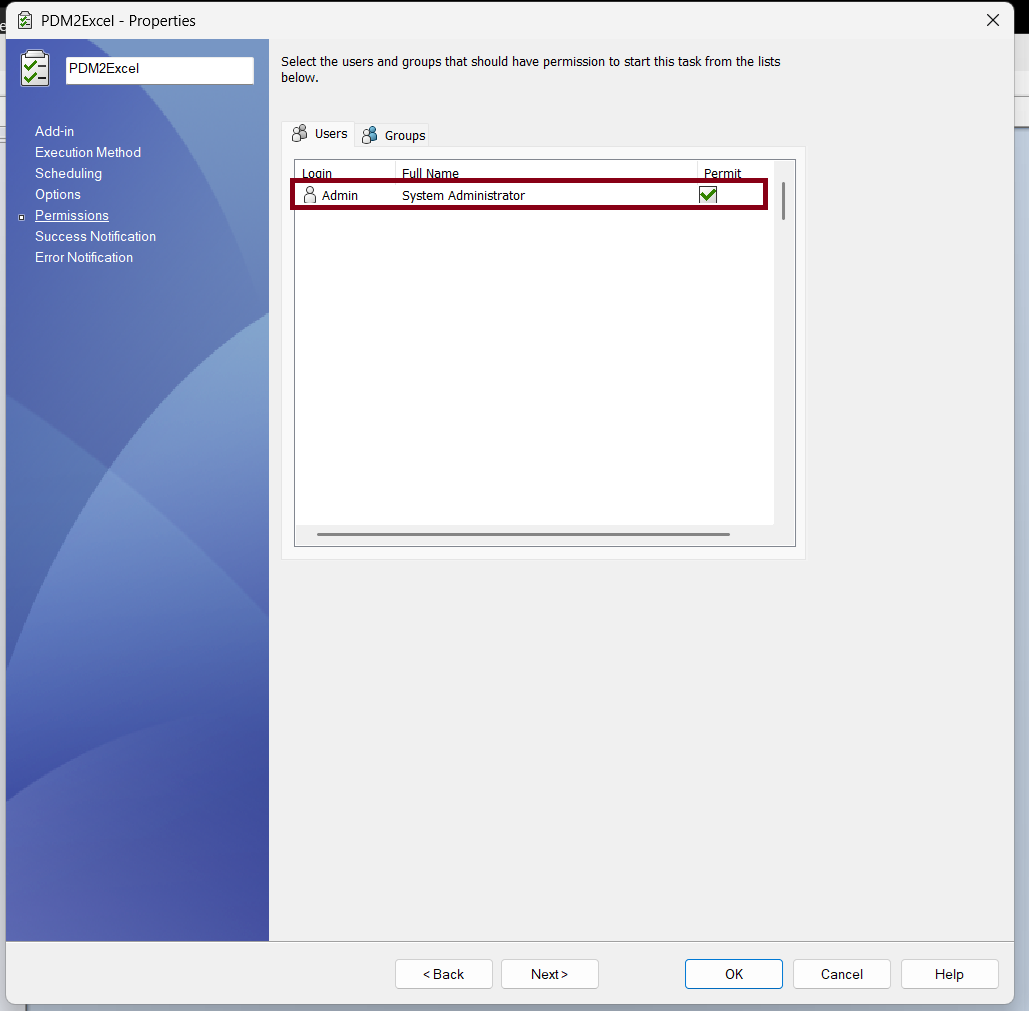
Permissions
In the Permissions tab, define which users or groups are allowed to run the task.
Run the Task
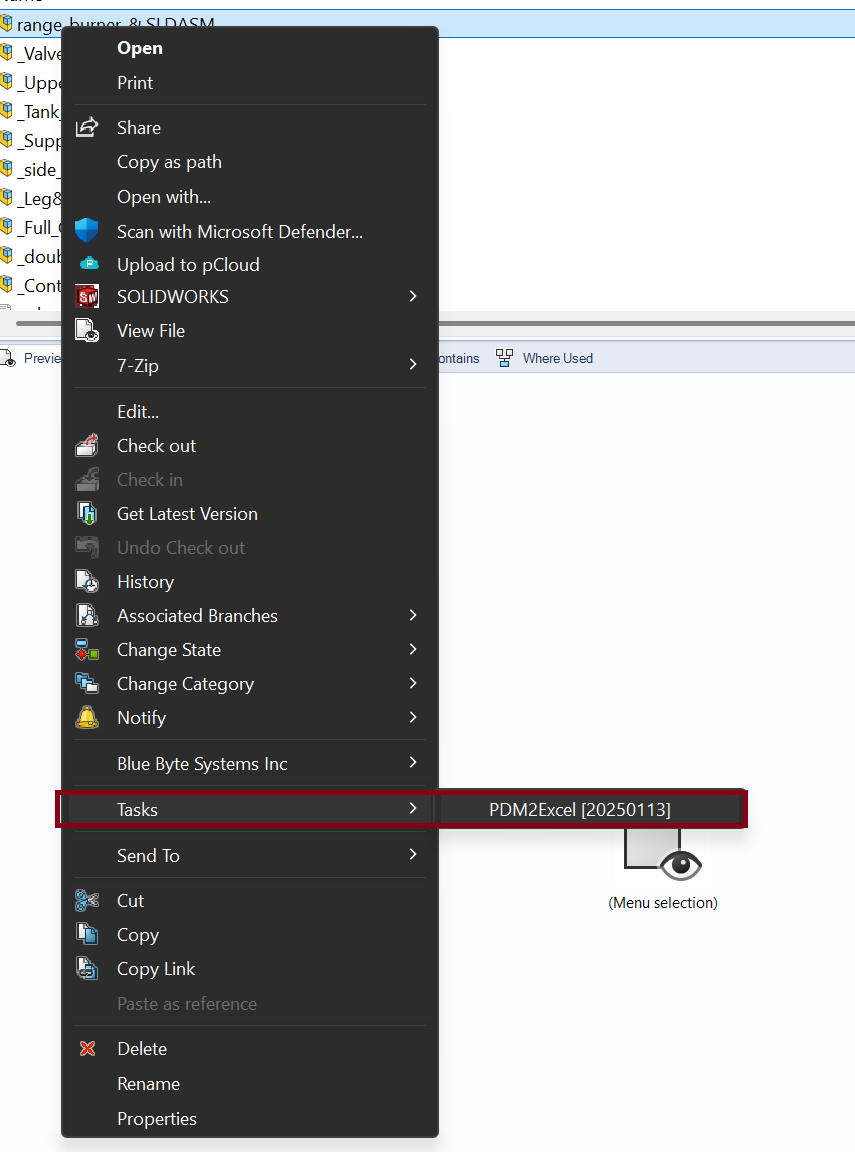
To run the task, right-click a file in your PDM vault, go to Tasks, and select the task you just created:
- You will be prompted to choose which configuration to process.
- If you checked Export All Configurations BOMs in the task setup dialog, the user input will be ignored.