
Template

Selects the BOM template or layout used for quantity-aware publishing.

The BOM layout icon is a visual identifier. The selected template name determines which PDM BOM layout PDMPublisher uses.
The selected BOM template is used when PDMPublisher needs to calculate assembly references, configurations, and quantities.
When Use Drawing-Derived BOM is enabled, PDMPublisher first tries to read the first named BOM saved on the associated drawing. This Template remains required because PDMPublisher uses it to calculate the BOM when the drawing or a usable derived BOM is unavailable.
This matters most when Export References to File Formats Individually is enabled.
Use Calculation Method to control whether reference and quantity calculation uses as-built references or the latest references.
Required BOM Columns
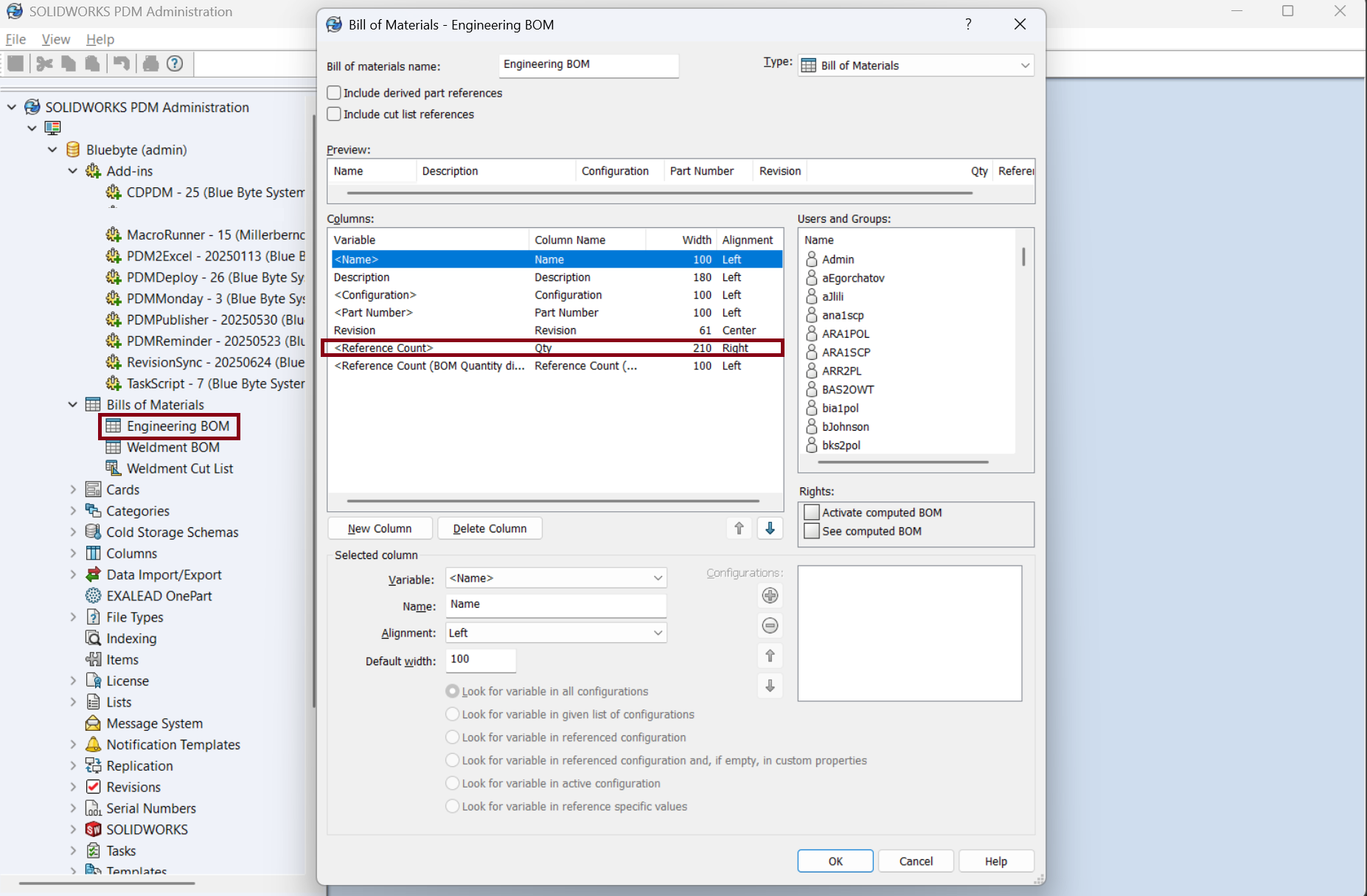
The BOM template must include the values PDMPublisher needs to identify each referenced file and calculate quantity.

| Required value | Why it is needed |
|---|---|
<Name> |
Identifies the referenced file or component. |
<Configuration> / configuration name |
Identifies the referenced configuration. |
Quantity / <RefCount> |
Provides the quantity used for reference-aware exports. |
Important
If the selected BOM template is missing the name, configuration, or quantity column, PDMPublisher may not be able to calculate assembly references correctly.