
Theme Settings
PDMPublisher can follow the current Windows app theme. When theme synchronization is enabled, the PDMPublisher task setup pages use light or dark colors to match Windows.
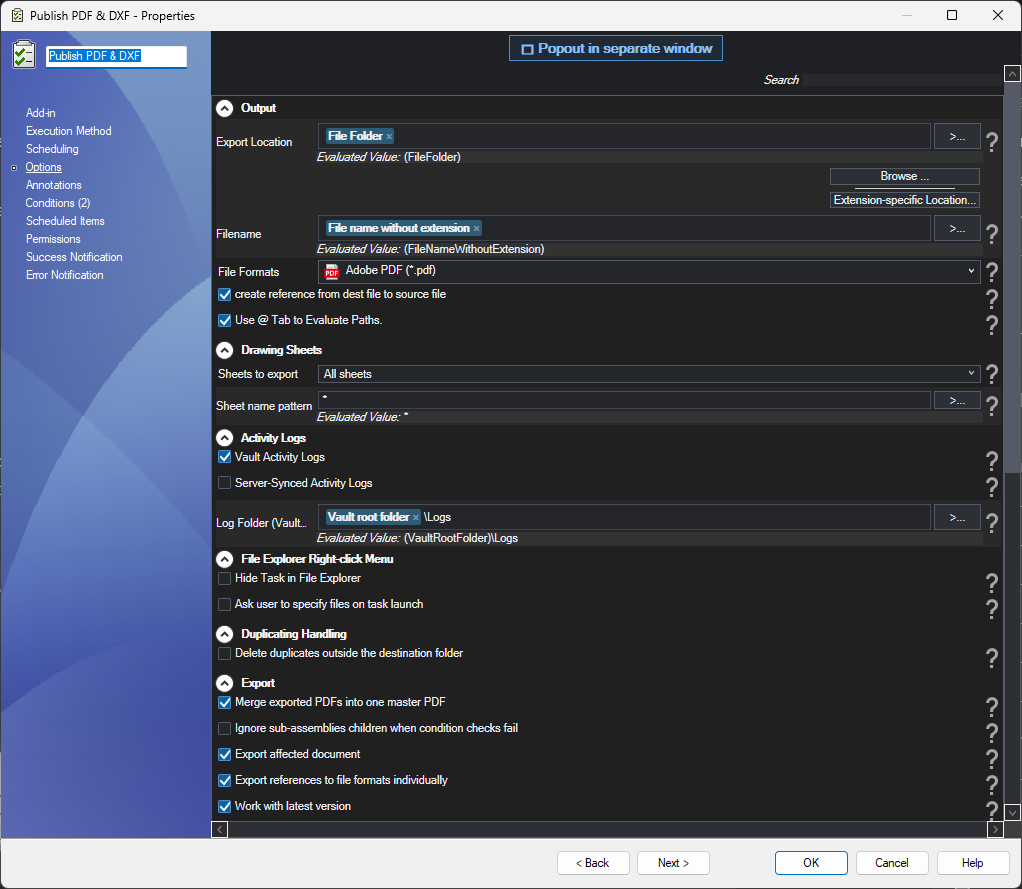
Theme synchronization changes colors only. It does not change the design, location, or behavior of the task settings.
Note
Theme synchronization is off by default. When it is off, PDMPublisher keeps its original light colors and ignores Windows theme changes.
Turn Theme Synchronization On or Off
- Open the SOLIDWORKS PDM Administration tool.
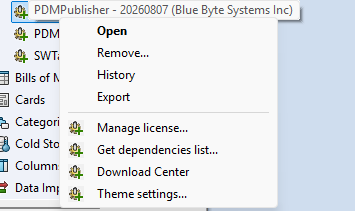
- Expand Add-ins and right-click PDMPublisher.
- Select Theme settings....
The confirmation dialog shows:
- The current Windows theme: Light or Dark.
- Whether PDMPublisher theme synchronization is currently On or Off.
- The change that will be made if you select Yes.
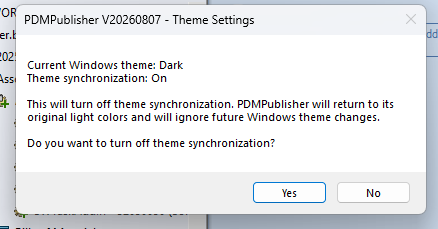
Select Yes to change the setting or No to leave it unchanged.
- Turning synchronization on makes PDMPublisher follow the current Windows theme and future Windows theme changes.
- Turning synchronization off returns PDMPublisher to its original light colors and ignores future Windows theme changes.
Tip
Close and reopen any task setup page that was already open if all controls do not refresh immediately after changing this setting.