
Search and Read Logs
The PDMPublisher > Logs window collects messages from the current session. Entries can include file processing, condition evaluation, quantities, drawing sheets, exports, warnings, and failures.
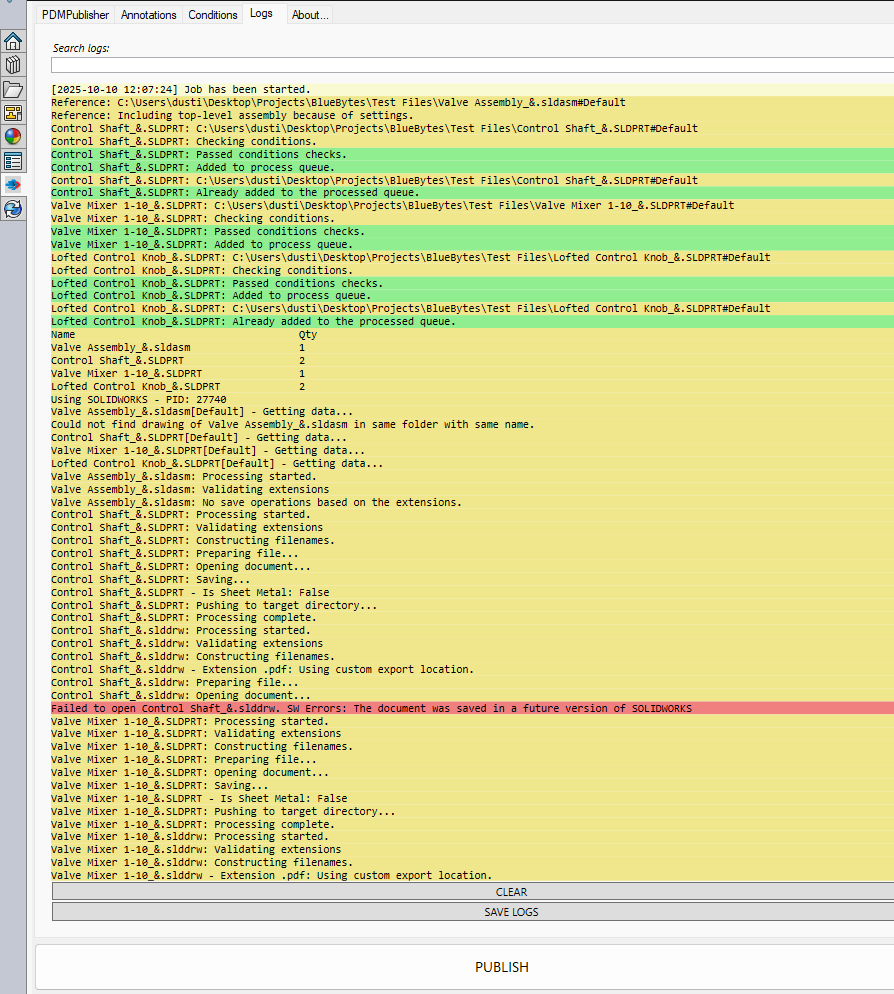
Search Logs
Enter text in Search logs to filter the displayed entries as you type. Matching is not case-sensitive.
Search changes only what is displayed. It does not remove log entries, and SAVE LOGS still writes the complete collection.
Useful searches include a filename, output extension, configuration, warning, failed, or saved.
Entry Colors
| Color | Typical message |
|---|---|
| Yellow | Job start, processing, or general progress. |
| Green | Saved, completed, added, or passed steps. |
| Light red | Warning, failed, or error entries. |
Read the entries around a warning or failure, not only the highlighted line. Earlier messages often identify the source file, configuration, or evaluated value that led to the result.